











 Consultations
 Box Finder
 Help Centre


Who this guide is for
This guide is for UK small business owners and fulfilment leads shipping jewellery, candles and beauty products, boutique fashion accessories, and corporate gifts.
If you want a scan-first labelling SOP that keeps parcels moving smoothly (and customers smiling) you’re in the right place.
The result: fewer delays, fewer returns-to-sender, fewer surcharges, and faster dispatch thanks to clean, reliable scans.
Ready to find the postal boxes for you?
Not sure what size you need?
Check out our blog on Royal Mail sizes made easy for postal boxes →
Why parcels get delayed or returned
The five most common labelling mistakes
Most delivery issues come down to one of these:
- Barcodes placed over seams or corners: Scanners struggle when codes bend or break across edges.
- Glossy or curved surfaces under labels: Shine and curl = reflections and failed reads.
- Low-contrast printing: Faded thermal heads or light print settings create weak bars scanners can’t lock onto.
- Covered or duplicated barcodes: Tape across a code, or multiple visible labels, leaves scanners guessing.
- Labels on the wrong face: Short sides or lid flaps often aren’t visible to conveyor scanners.
Paperwork that confuses scanners (and how to avoid it)
- Loose return slips sliding over barcodes: Always secure paperwork in a pouch or integrate it into the label.
- Documents Enclosed pouches stuck on top of labels: Place them next to the shipping label, never over it.
- Address mismatches: Packing slip and shipping label should come from the same order state to avoid conflicting data.
Set up your label zones (once…and do it right)
Front-face placement, quiet zones, no seams
- Reserve a flat front face at least 150 × 100 mm as your label zone.
- Keep barcode quiet zones (the blank space around the code) clear of tape, text, or graphics.
- Never let a barcode cross a seam, edge radius, or crash-lock join.
- Think of this area as the barcode’s personal space, don’t crowd it.
Orientation for conveyors and hand scanners
- Apply labels square to the panel, not on an angle.
- Barcodes printed horizontally (bars left to right) scan fastest on conveyors.
- For letterbox-friendly packs, place the label on the largest flat face (often the top).
Consistency beats clever every time.
Paperwork that travels cleanly
Documents Enclosed, integrated labels, or QR returns
- Documents Enclosed pouch: Use when paper slips are required. Stick it adjacent to the label, never on top.
- Integrated shipping + returns labels: Print in one pass. Customers peel the outbound label and keep the returns section, simple and tidy.
- QR returns: No paper inside the box. Include a short URL or QR on the packing slip instead.
Where to place pouches (without blocking scans)
- Place pouches on the same face as the shipping label.
- Leave a minimum 20 mm gap.
- Keep pouch edges clear of barcode quiet zones.
- Smooth out wrinkles and bubbles before dispatch.
Flat beats floppy. Every time.
The 60-second bench SOP (scan-first)
Wipe → label → press → scan → pouch → final check
- Wipe the label face with a lint-free cloth
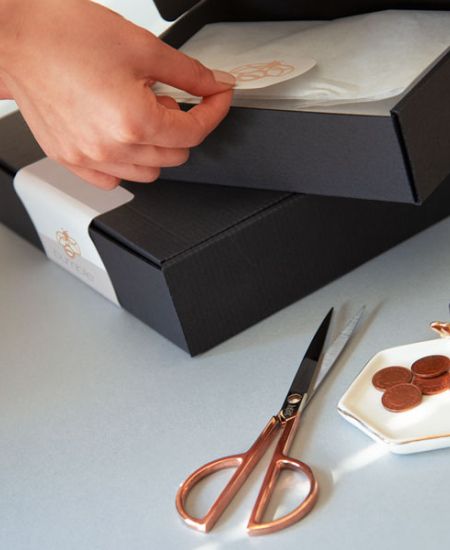
- Apply label within the 150 × 100 mm zone, no seams or corners
- Press firmly with fingers, then a small roller for even adhesion
- Scan test once:
- If it fails: reprint and replace
- Never stack labels
- Add pouch (if needed) beside the label and insert paperwork
- Final check: remove any old labels
- Optional: photograph the label face for proof
One clean label beats three “just in case” ones.
Photo proofing and exception handling
- Photograph high-value or exception parcels and store images with the order ID.
- For re-boxed returns, fully void old labels. Marker pen alone isn’t enough.
- If a barcode can still be seen, a scanner will try to read it.
Train, audit, and improve (without slowing dispatch)
First-10 audits, fault boards, and weekly tallies
- First-10 audit each shift: Check label zone, seams, scan test, and pouch placement. Team lead signs off.
- Fault board with real photos: Examples like “barcode over seam,” “tape on code,” “pouch on label.”
- Weekly tally of scan failures and RTS: Add a one-line fix next to each issue so it doesn’t repeat.
Seasonal tweaks for gift sets and busy periods
- Pre-print integrated labels for common SKUs.
- Add label-zone photos at the bench for new cartons.
- For glossy gift wraps, use matte labels or apply to a paper panel area.
Peak season is no time for scanner surprises.
Ready to find the postal boxes for you?